TOTAL BATTLE APP FOR PC
Mercenary Radar for Windows
The app uses your Mercenary Radar account, displays active exchanges and helps transfer the selected kingdom and coordinates to Total Battle running on your computer.
What does the app do?
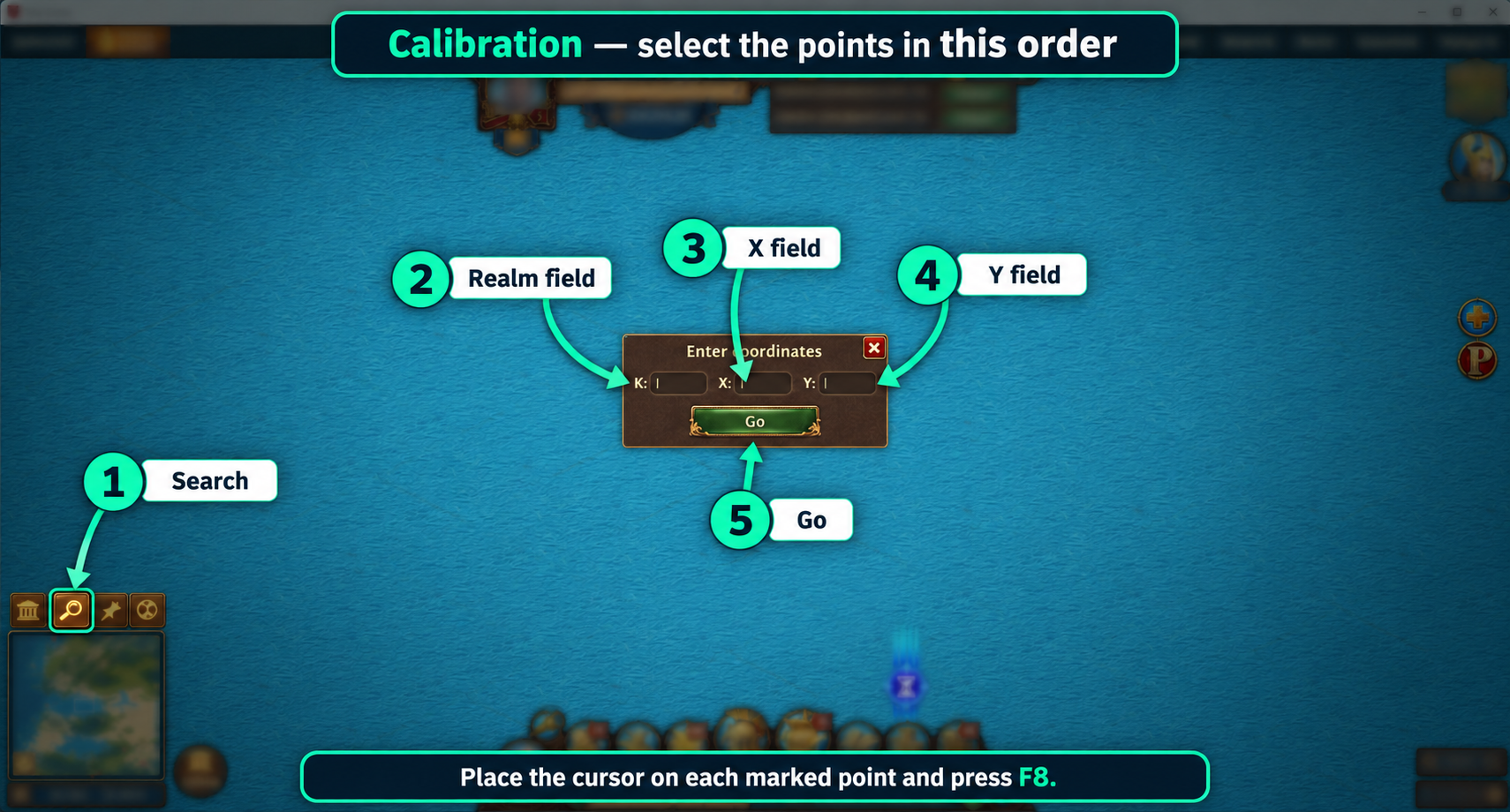
After signing in, you use the same account and credit balance as on the website. Once a location is revealed, choose the option to move to the game. The program activates the Total Battle window and enters K, X and Y in the fields you calibrated earlier.
Requirements
- Total Battle installed and running on the computer.
- Windows 10 or Windows 11.
- The 64-bit version for most computers, or the separate 32-bit version for Windows 10.
- An internet connection and a Mercenary Radar account.
The app does not support the mobile or browser version of Total Battle.
Calibration
On first launch, indicate five game interface elements: the magnifying glass, the K, X and Y fields, and the move button. The preview lets you check the setup before use.