Mercenary Radar · Total Battle Multi-Tool
Essential tools in one application
Plan stacks, prepare troops, handle crypts and fortresses, and use Mercenary Radar without switching between separate programs.
- Windows 10/11 — 64-bit
- English and Polish
- 4 integrated modules
- One Mercenary Radar account
01 / PLANNING
Stack Calculator
Build troop stacks around your march and HP limits. The app sorts results, calculates required unit counts, and lets you save prepared configurations.
- Leadership, Authority and Dominance
- Health bonus per unit
- Sorting by result and total HP
- Reusable configuration templates
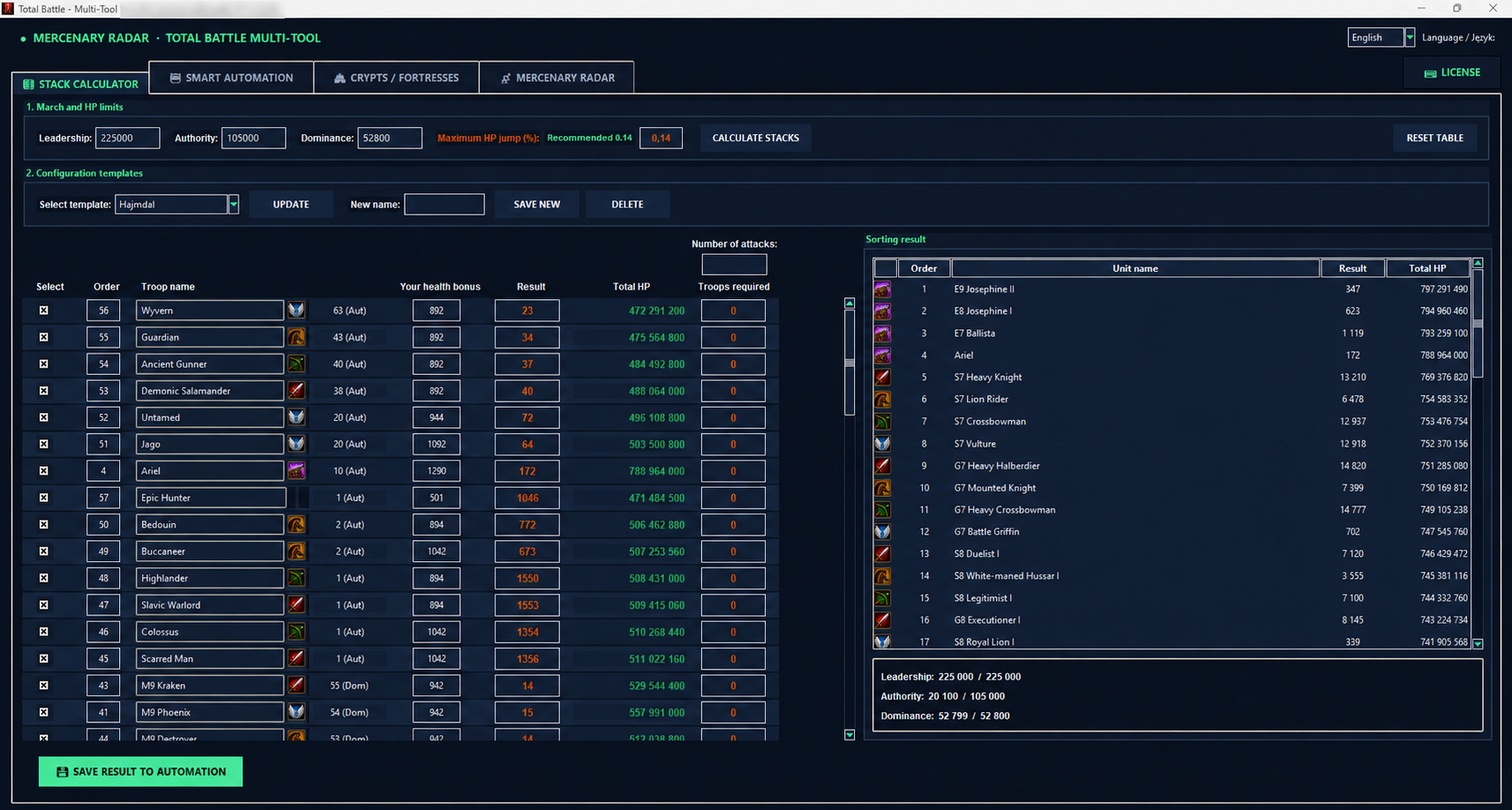
Click the screenshot to open the full-size image.
02 / MARCH PREPARATION
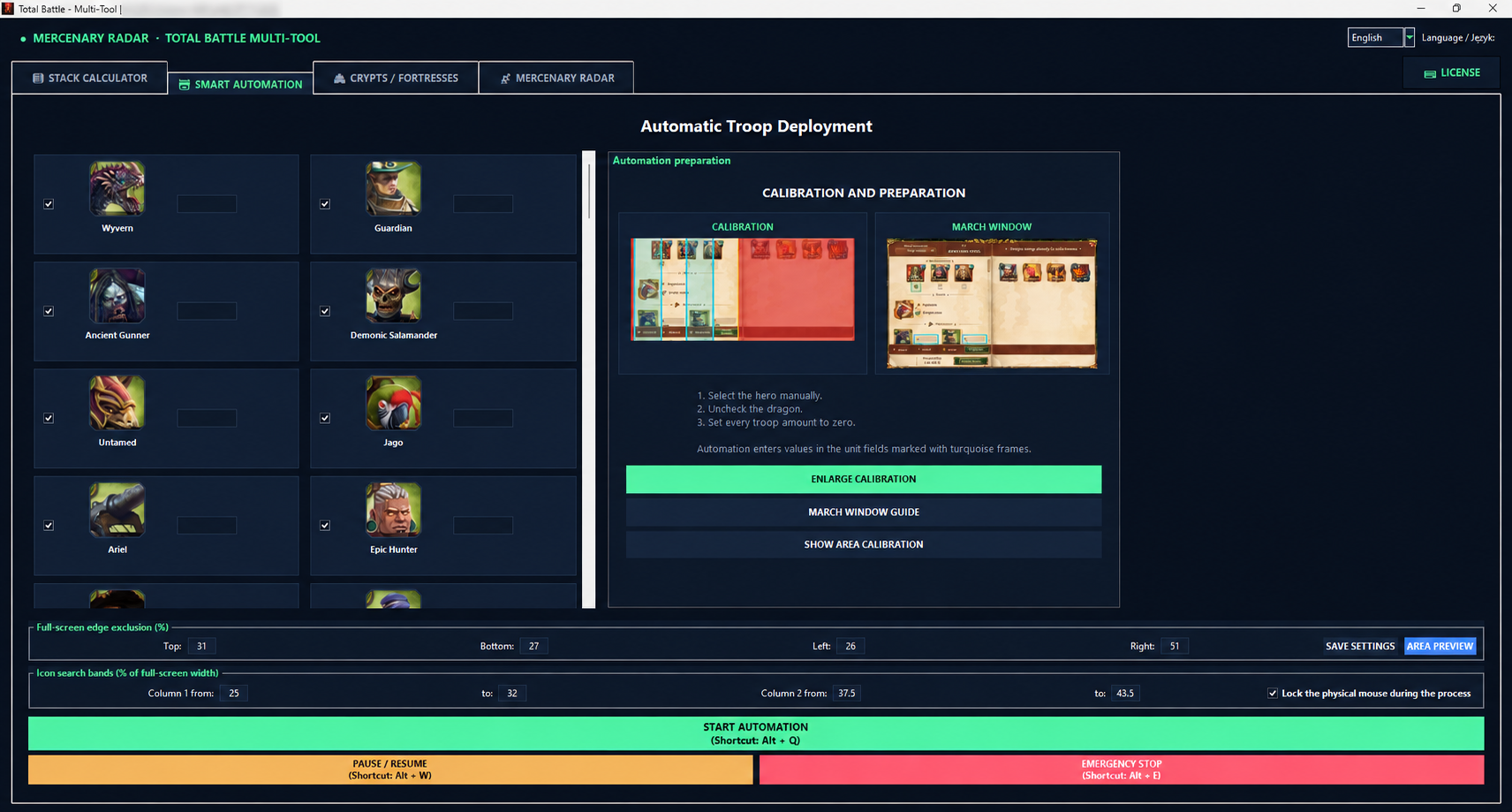
Smart Automation
Move a result from the calculator into the troop deployment module. Select units, complete clear visual calibration, and stay in control of the process.
- Unit selection and amounts
- Calibration area preview
- Pause and resume controls
- Prominent emergency stop
03 / TARGETS
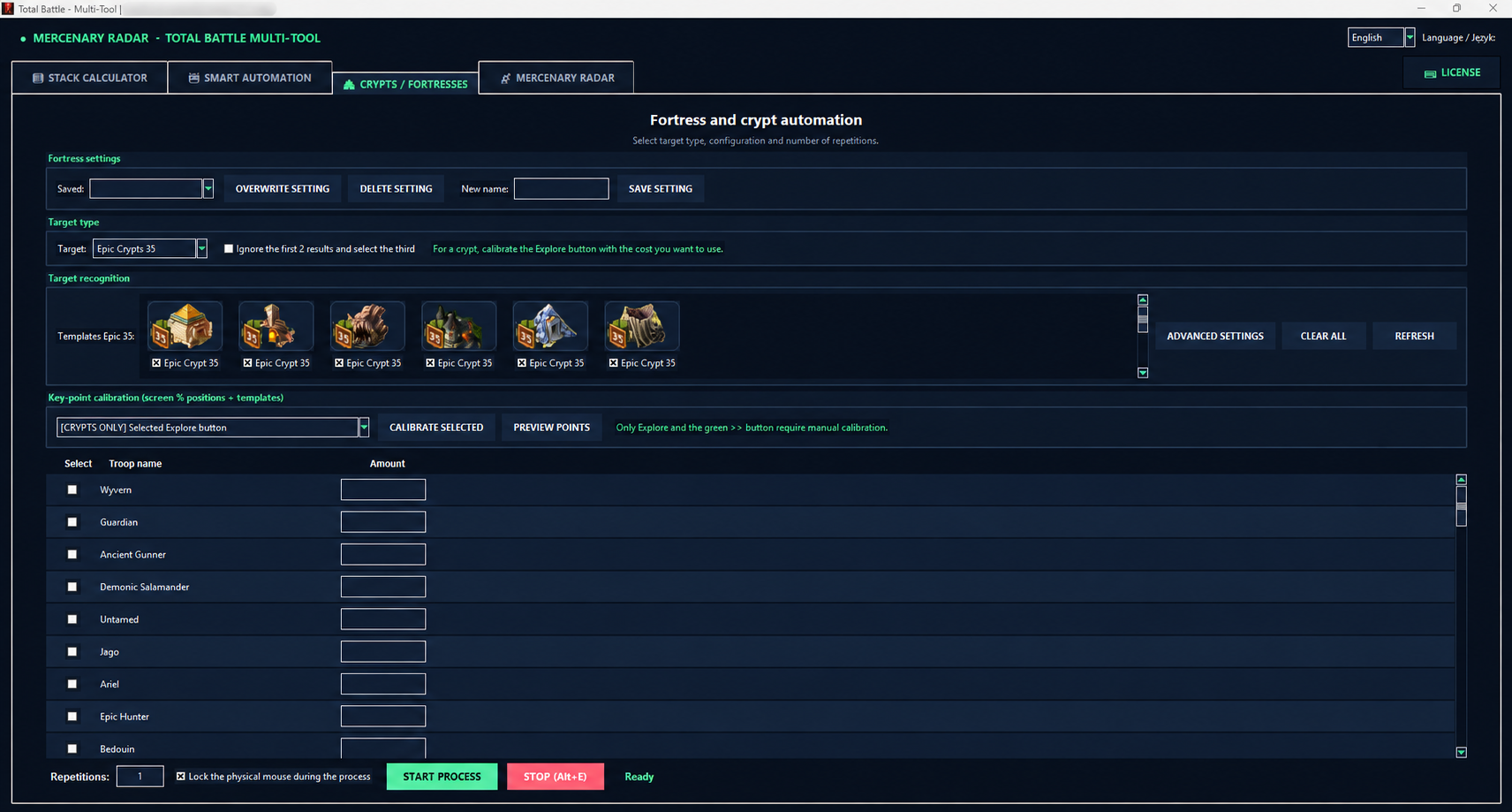
Crypts & Fortresses
Configure the target type, prepare recognition templates, then choose troops and the number of repetitions. The module currently supports:
- Epic Crypts — level 35
- Rare Crypts — levels 30 and 25
- Fortresses — level 30
- Saved settings and key-point calibration
04 / EXCHANGES
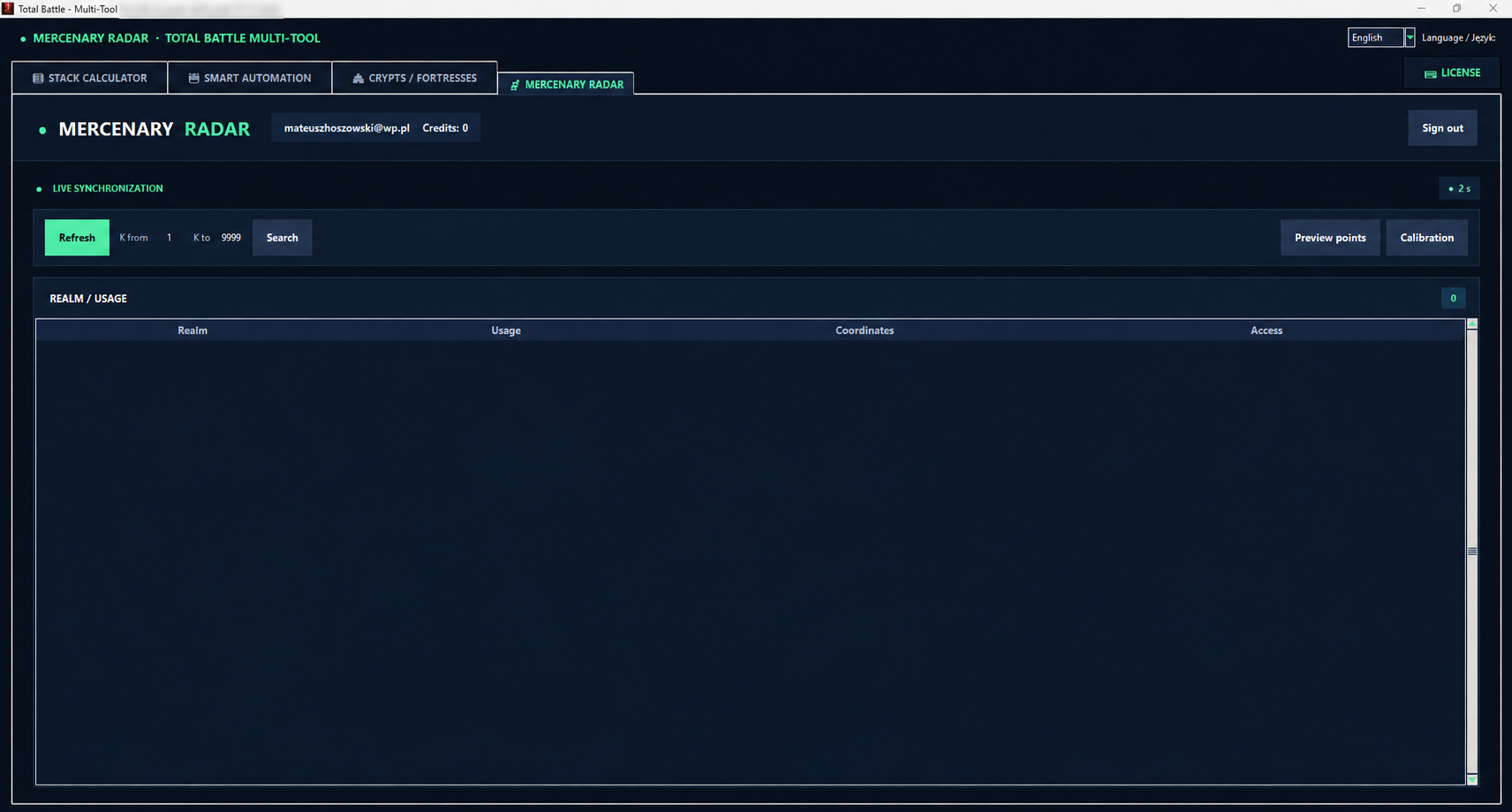
Mercenary Radar
Mercenary Radar is an integral part of Multi-Tool. Sign in with the same account as on the website, find an exchange, reveal its coordinates with one click and move them directly into the game without retyping them.
- The same account and credit balance
- One-click exchange reveal
- Automatic K, X and Y entry in the game
- Safe calibration preview
From search to game in three steps
- Sign inUse the same account and credit balance as on mercenaryradar.com.
- Reveal with one clickThe coordinates remain visible in the list after they are revealed.
- Move to gameThe application activates Total Battle and enters K, X and Y in the calibrated fields.
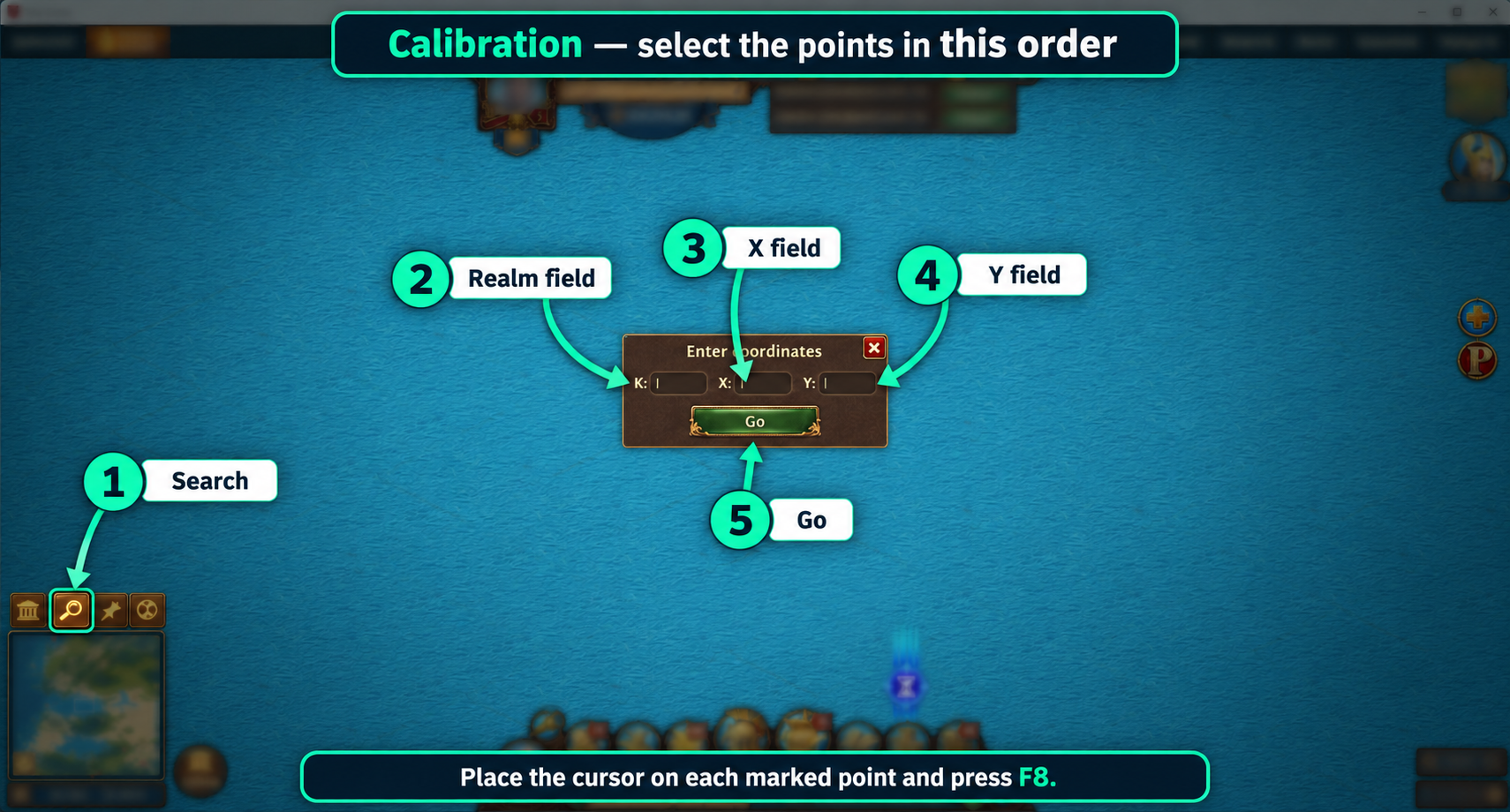
Five-point calibration
Indicate the magnifying glass, K, X and Y fields, and the Go button. The preview verifies the setup without performing clicks.
Multi-Tool licence
Choose your access period
The licence cost is deducted from the credit balance on your Mercenary Radar account.
14 days
35 credits30 days
65 creditsMulti-Tool is coming soon
We are preparing a stable release for 64-bit Windows 10 and 11 systems. Downloads will become available after testing is complete.
Download coming soon